


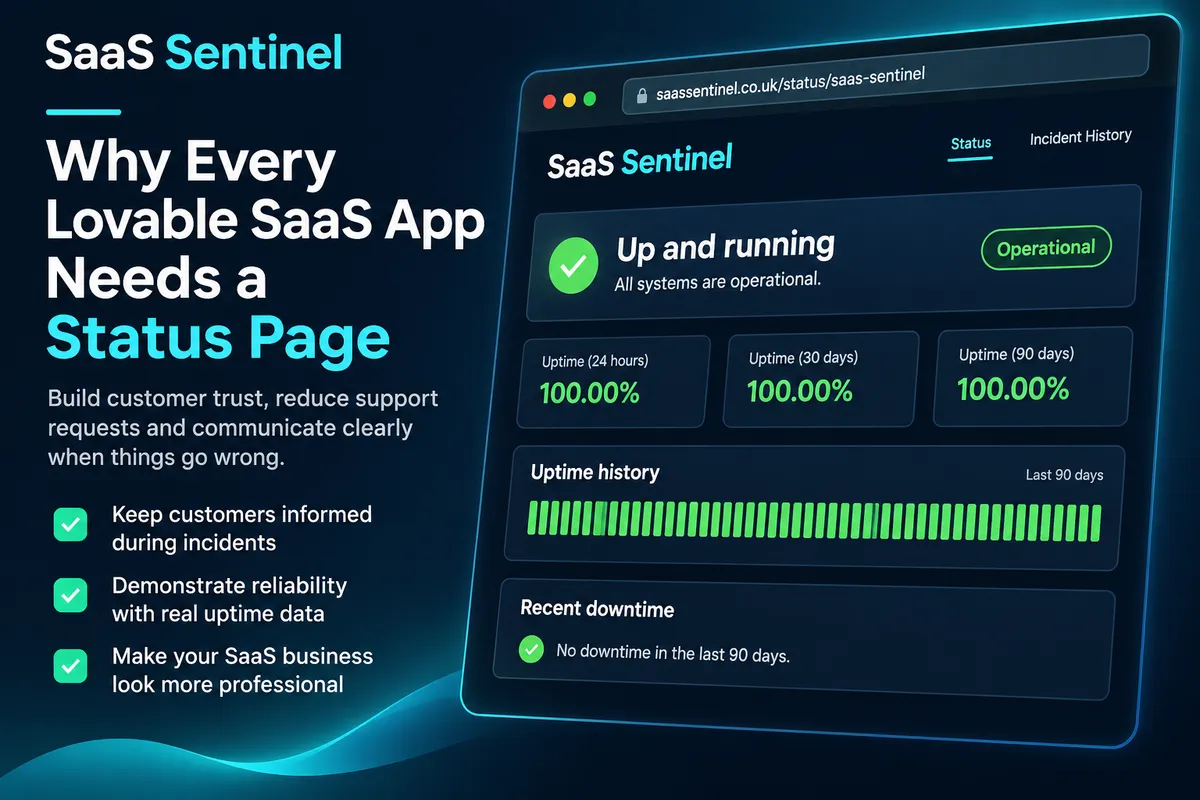
Why Every Lovable SaaS App Needs a Status Page
You've built your SaaS application with Lovable, launched it and started attracting customers. But what happens when something goes wrong?
Your application might be unavailable, users might be unable to log in, or a critical integration might stop working.
How do your customers know what's happening?
Without a dedicated status page, their first instinct will probably be to contact support, send an email or assume that your application is unreliable.
A status page provides a simple solution. It gives customers somewhere to check whether your service is operating normally, whether there are known problems and when they can expect an update.
For anyone building a commercial SaaS application with Lovable, a status page is an important part of delivering a professional service.
Your Application Is More Than Its Frontend
One of the attractions of Lovable is how quickly you can build and deploy a working application.
But even a relatively simple Lovable application can depend on several services working together.
These might include:
Application hosting: Making your application accessible to customers.
Supabase or Lovable Cloud: Providing databases, authentication, storage and backend functionality.
Edge Functions: Running server-side application logic.
Payment processing: Managing subscriptions and customer payments.
External APIs: Connecting to AI services, email providers and other integrations.
DNS and SSL certificates: Ensuring customers can securely access your application.
A failure in any of these components can affect your customers.
Your homepage might load perfectly while users cannot authenticate. Your dashboard might work while an external API prevents an important feature from functioning.
This is why simply checking whether your website responds is not enough to establish that your SaaS application is healthy.
What Is a SaaS Status Page?
A status page is a publicly accessible webpage that communicates the operational condition of your application.
It typically provides a simple overview of your services using indicators such as:
🟢 Operational — The service is working normally.
🟡 Degraded Performance — The service is available but experiencing problems.
🔴 Major Outage — The service is unavailable.
🔵 Scheduled Maintenance — Planned work may affect availability.
A more advanced status page might show individual components, historical availability, recent incidents and scheduled maintenance.
For example, a SaaS application might display:
Service | Current Status |
|---|---|
Web Application | 🟢 Operational |
User Authentication | 🟢 Operational |
Database Services | 🟢 Operational |
AI Processing | 🟡 Degraded Performance |
Payment Processing | 🟢 Operational |
Customers can immediately see that the application is generally available but that AI processing is experiencing difficulties.
This is much more useful than a generic message saying that something has gone wrong.
Five Reasons Your Lovable App Needs a Status Page
1. Build Customer Confidence
Customers expect commercial SaaS applications to be reliable.
However, reliability doesn't mean that problems will never occur.
Even major cloud platforms experience outages, degraded performance and unexpected incidents.
What matters is how those problems are handled.
A status page demonstrates that you take service availability seriously and are prepared to communicate openly when something goes wrong.
For prospective business customers, it can also provide reassurance that your application is being operated as a professional service.
Transparency builds trust, particularly when things aren't working as expected.
2. Reduce Unnecessary Support Requests
Imagine your application experiences an authentication problem.
Within minutes, customers begin reporting that they cannot log in.
Without a status page, each customer may contact support independently.
You now have multiple enquiries about the same underlying issue, all requiring responses.
With a status page, customers can see that the problem has already been identified and is being investigated.
Instead of responding to every customer individually, you can publish a single incident update.
This becomes increasingly valuable as your customer base grows.
3. Communicate During Incidents
A good status page does more than indicate whether a service is available.
It provides a communication channel throughout an incident.
A typical incident might progress through four stages.
Investigating
"We are investigating reports that some customers are unable to access their dashboards."
Identified
"We have identified an issue affecting database connectivity and are working to restore normal service."
Monitoring
"A fix has been implemented and we are monitoring the service to confirm recovery."
Resolved
"The issue has been resolved and all services are operating normally."
These updates demonstrate that the problem is being actively managed.
They also help customers understand whether they need to take any action.
Importantly, you don't need to know the root cause before publishing your first update.
Acknowledging a problem is often more useful than remaining silent while investigating.
4. Demonstrate Historical Reliability
A status page can also provide a historical record of service availability.
For example, you might display availability over the previous 30 or 90 days.
This helps customers understand your application's operational performance.
It can also support conversations with business customers who want reassurance about reliability before subscribing.
However, availability statistics need to be meaningful.
A website returning HTTP 200 does not necessarily mean that customers can successfully use the application.
For a Lovable application, monitoring should ideally include critical functions such as authentication, database access and important backend operations.
Only publish availability figures that your monitoring can substantiate.
5. Make Your SaaS Business Look More Professional
When you are developing your first SaaS application, a status page might seem unnecessary.
You know the application, you monitor it yourself and you can usually resolve problems quickly.
But customers don't see the work happening behind the scenes.
They judge your service by what they experience.
A branded status page, ideally available through a dedicated address such as status.yourdomain.com, shows that you have considered operational support, availability and customer communication.
It is a relatively small addition that can make a meaningful difference to how your SaaS business is perceived.
Monitoring and Status Pages Are Not the Same Thing
This is an important distinction.
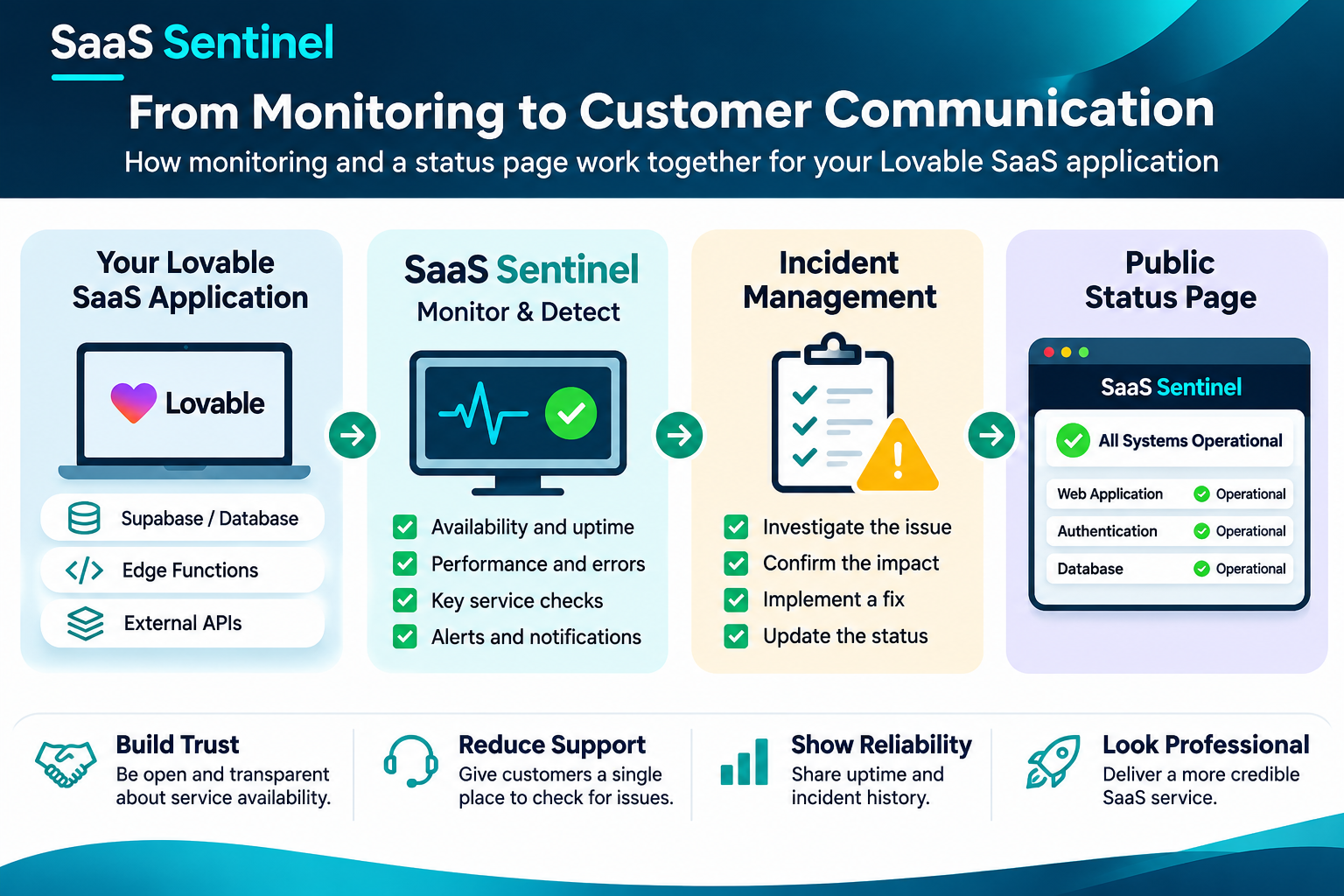
Monitoring tells you when something is wrong. A status page tells your customers what is happening.
Monitoring tools are designed for application operators.
They help identify outages, performance degradation, resource problems and other operational issues.
Status pages are designed primarily for customers.
They translate technical problems into understandable service information.
Ideally, the two should work together.
When monitoring detects a problem, the application operator receives an alert.
The incident can then be assessed and communicated through the status page.
Some status page platforms support automatic incident creation, but care is needed to avoid publishing misleading information when a monitoring check produces a false alarm.
For example, a temporary failure from one monitoring location does not necessarily mean your application is unavailable to every customer.
Don't Rely Entirely on Your Cloud Provider's Status Page
If your Lovable application uses Supabase, you can check the official Supabase status page for information about platform incidents.
But that page reports the condition of Supabase's services, not necessarily the health of your individual application.
Your database might be experiencing resource pressure, an Edge Function might be failing, or a deployment might have introduced an application error.
None of these necessarily means that the underlying cloud platform is experiencing an outage.
The reverse is also possible.
A cloud provider might report a regional incident that does not affect your application.
Your customers need information about your service, not simply the infrastructure on which it runs.
This is why your own monitoring and status page remain important, regardless of whether you use Lovable Cloud or a separately managed Supabase project.
What Should You Include on Your Status Page?
You don't need an elaborate status page when launching your first application.
Start with the essentials.
Overall Application Status
A clear indication of whether your SaaS application is operating normally.
Critical Service Components
Show the condition of important services, such as authentication, database connectivity and core application functions.
Active Incidents
Provide information about known problems and their current status.
Incident History
Maintain a record of previous incidents, including when they occurred and when they were resolved.
Scheduled Maintenance
Let customers know when planned changes might affect service availability.
Customer Notifications
Where possible, allow customers to subscribe to updates by email or another suitable notification channel.
As your SaaS business grows, you can introduce more detailed service information and historical reporting.
Keep Your Status Page Independent
There is one architectural consideration that is easy to overlook.
Your status page should remain available when your main application is down.
If you build your status page inside the same Lovable application, using the same hosting and backend services, a major outage could make both unavailable.
That defeats much of its purpose.
Ideally, your public status page should be hosted independently of the application it reports on.
This doesn't necessarily require complicated infrastructure.
A separately hosted status page service can provide the independence you need without introducing significant operational overhead.
You should also consider how incident updates will be published if your normal application management tools are unavailable.
Where SaaS Sentinel Fits In
A status page is one part of operating a reliable SaaS application.
Behind it, you still need to understand whether your application is healthy and identify problems before they become major incidents.
This is where SaaS Sentinel can help.
SaaS Sentinel provides SaaS Portfolio Intelligence (SPI), bringing together operational information about your SaaS applications.
Rather than relying on individual platform dashboards, SaaS Sentinel helps you maintain visibility across your portfolio, including application availability, performance, security and infrastructure consumption.
For developers managing multiple Lovable applications, this becomes particularly valuable.
You can monitor your applications from a central location, identify issues that require attention and use that operational information to support your incident management processes.
A customer-facing status page complements this approach by providing the communication layer.
Together, monitoring and transparent communication help you deliver a more dependable SaaS service.
When Should You Create a Status Page?
Ideally, before you launch your application to paying customers.
You don't need hundreds of users or an enterprise-scale application to justify having one.
If customers depend on your application, they should have somewhere to check its operational status.
Even a basic status page is better than leaving customers wondering whether a problem is affecting everyone or just them.
As your application grows, you can add component-level reporting, automated monitoring integration and more sophisticated incident communications.
The important thing is to establish the process early.
Final Thoughts
Lovable has made building and launching SaaS applications significantly more accessible.
But launching an application and operating a reliable SaaS service are two different challenges.
Customers don't necessarily care whether an outage was caused by a database problem, an external API or an infrastructure provider.
They want to know three things:
Is there a problem?
Are you doing something about it?
When can I expect another update?
A status page helps you answer those questions.
Combined with effective monitoring, it demonstrates that you are taking responsibility for the service your customers depend on.
And that is an important step in turning a Lovable project into a professional SaaS business.
Frequently Asked Questions
Monitor Your Lovable Applications with SaaS Sentinel
Building your SaaS application is only the beginning.
SaaS Sentinel helps you monitor and manage your growing portfolio of SaaS applications, bringing together operational visibility, security information and cost intelligence.
Keep your SaaS applications live, secure, scalable and profitable.
Explore SaaS Sentinel and its free tools at saassentinel.co.uk.